

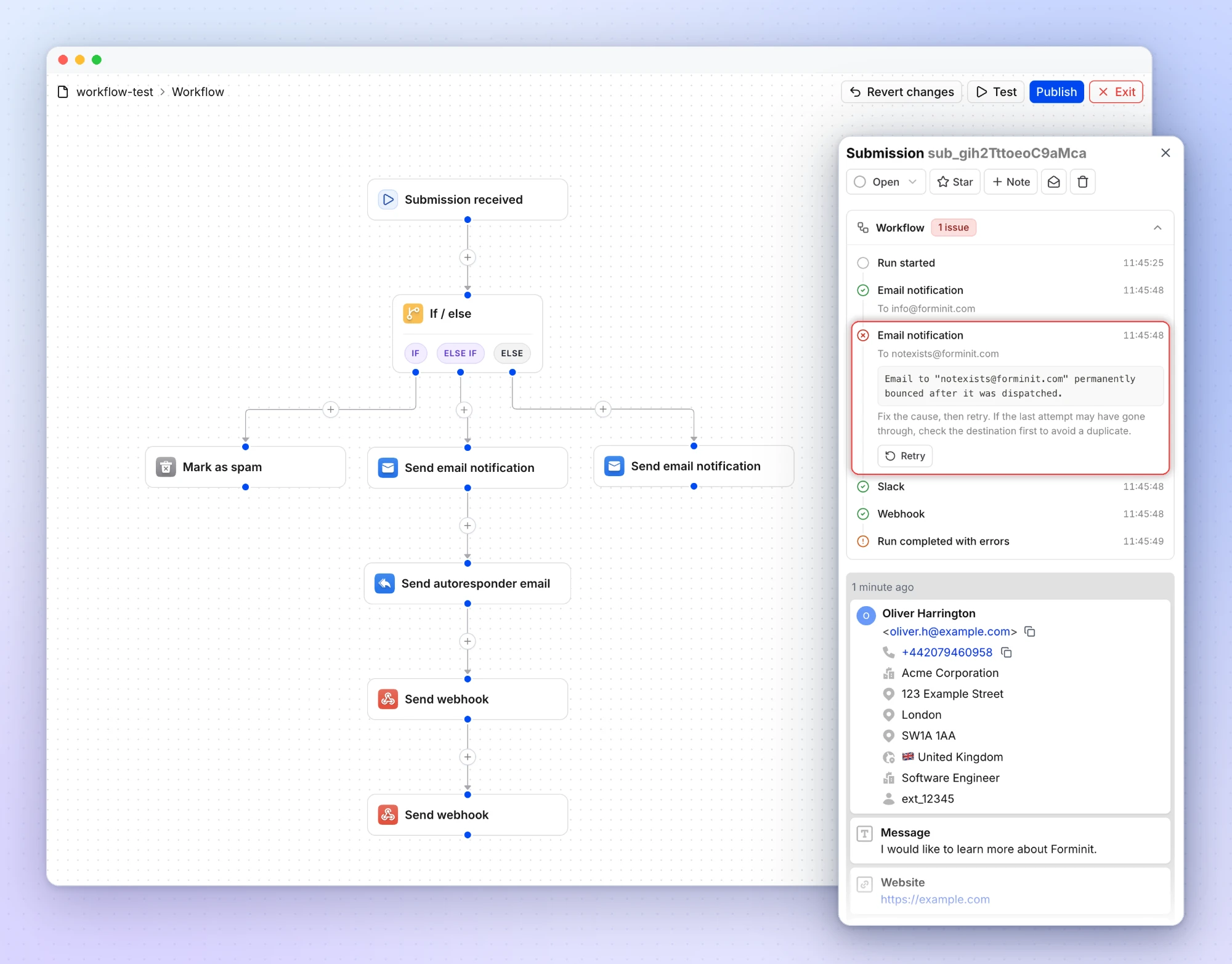
Introducing Workflows: route and automate every submission
Build a visual workflow for each form. Route submissions with If / else conditions, run several actions in one flow, and retry any action that fails.
Build a visual workflow for each form. Route submissions with If / else conditions, run several actions in one flow, and retry any action that fails.
Choose how long Forminit keeps each form's submissions and uploaded files. Set a retention period and expired submissions are deleted automatically, files included.
Forminit now supports Cloudflare Turnstile. Protect your forms from bots with a free, privacy-first CAPTCHA that verifies most visitors without showing a puzzle.
Forminit now connects to Google Sheets. Pick a spreadsheet, map your form fields to columns, and every new submission is added as a row automatically.
CSV exports now include city, country, browser, and device columns, so location and device context comes with every submission you download.
Get an email alert when a webhook delivery fails. Alerts include the error response and failure count so you can debug broken endpoints fast.
Verify that webhook requests were sent by Forminit before processing them. HMAC-SHA256 signatures, replay protection, and idempotency for your webhook endpoints.
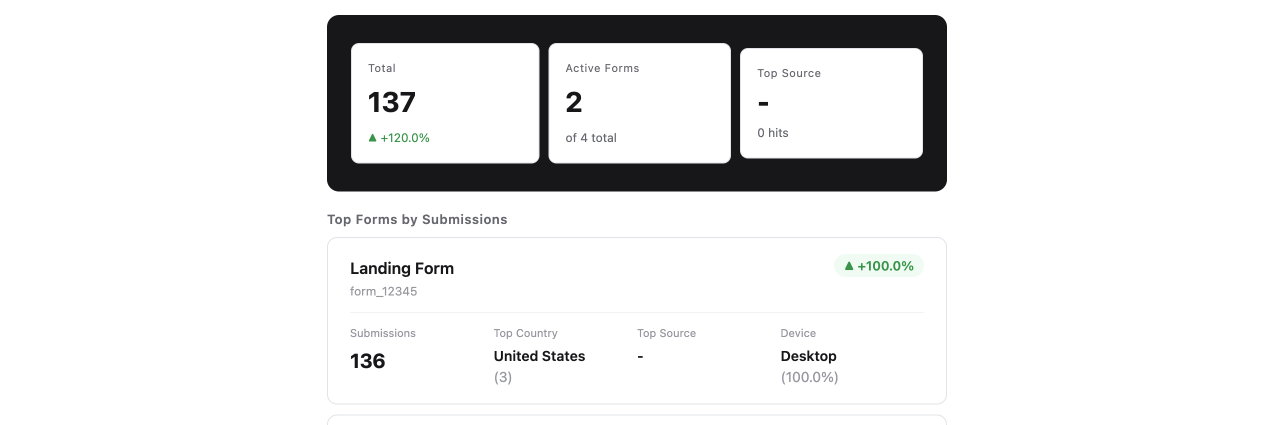
Get a weekly email summary of your most active forms with submission counts, week-over-week changes, top countries, devices, and traffic sources.
The official Forminit Python SDK is here. Submit forms from Flask, Django, FastAPI, or any Python application.
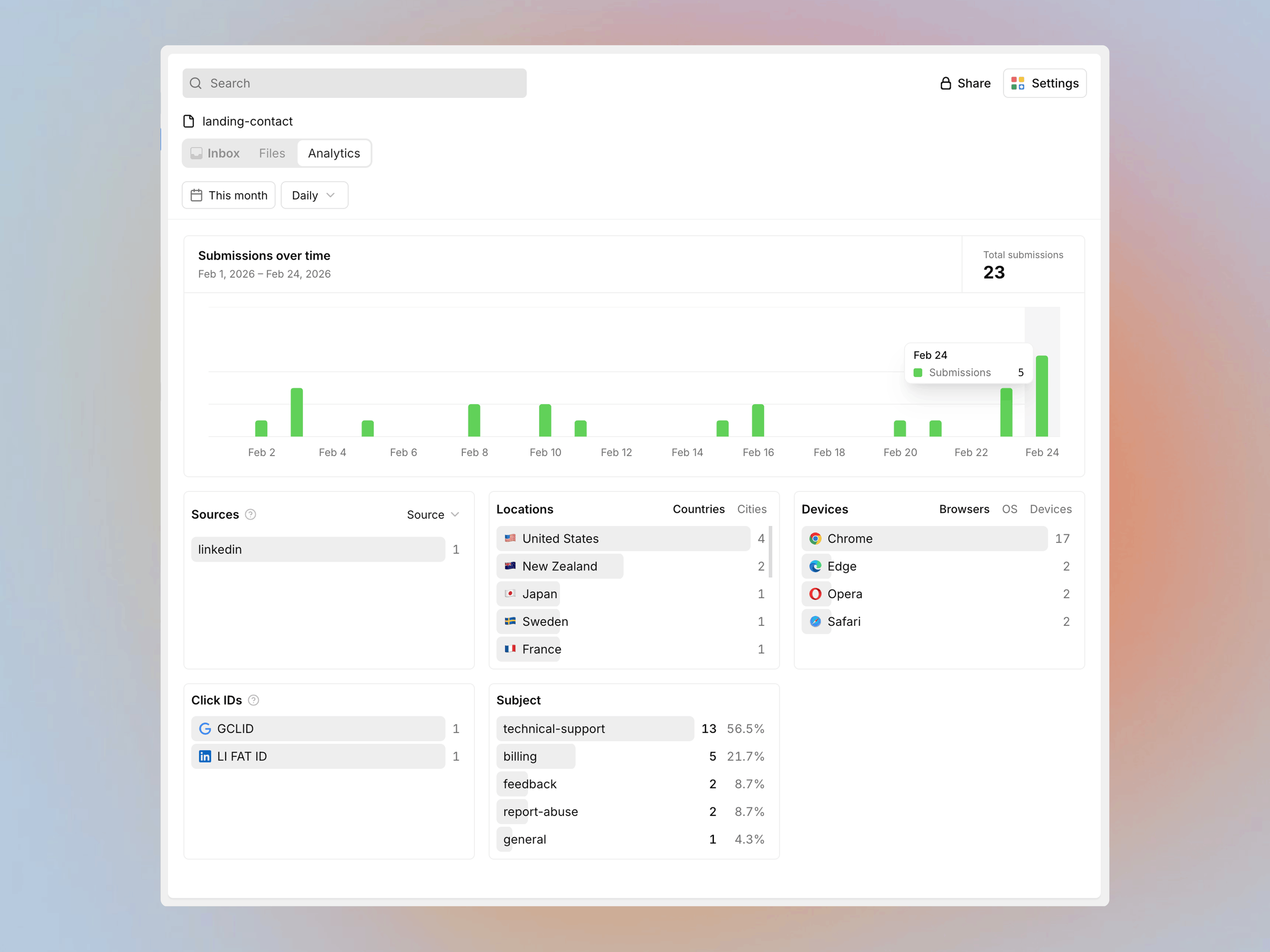
Track submission trends, ad click sources, UTM campaigns, field response breakdowns, visitor locations, and devices from a single analytics dashboard.
Mobile submission table fixes and Slack notifications now include sender location, UTM parameters, and dashboard links.
Filter submissions by status, starred, and date. Mark as unread in bulk. Faster inbox loading across all plans.
Fixed form redirect failures on Safari after submission. SMTP username field now accepts both email addresses and usernames.
Fixed Safari CORS error when loading the Forminit SDK from CDN. Improved responsive layout for mobile and tablet devices.
Getform.io became Forminit on 14 January 2026. This was a rebrand, not an acquisition. Same independent team since 2015; existing endpoints still work.
A first look ahead. Major updates are in development at Forminit, with the full reveal coming in an upcoming announcement.
See what's new in Forminit's April 2025 update. Improved email notifications, faster CSV exports, and autoresponder attachments.
Enable or disable forms with a toggle. Enhanced bot detection, improved email notification delivery, and SMTP fixes.
Email notifications now support drag-and-drop templates, WYSIWYG editor, custom HTML code view, and Reply-to, CC, BCC headers.
Autoresponder emails now support up to 5 file attachments (25 MB total), WYSIWYG editor, and Reply-to, CC, BCC headers.
Forminit Zapier integration now uses OAuth2 authentication. Connect forms to 5,000+ apps with automatic token refresh.
Forminit (formerly Getform) celebrates 8 years. Self-funded since 2015, processing millions of form submissions for developers worldwide.